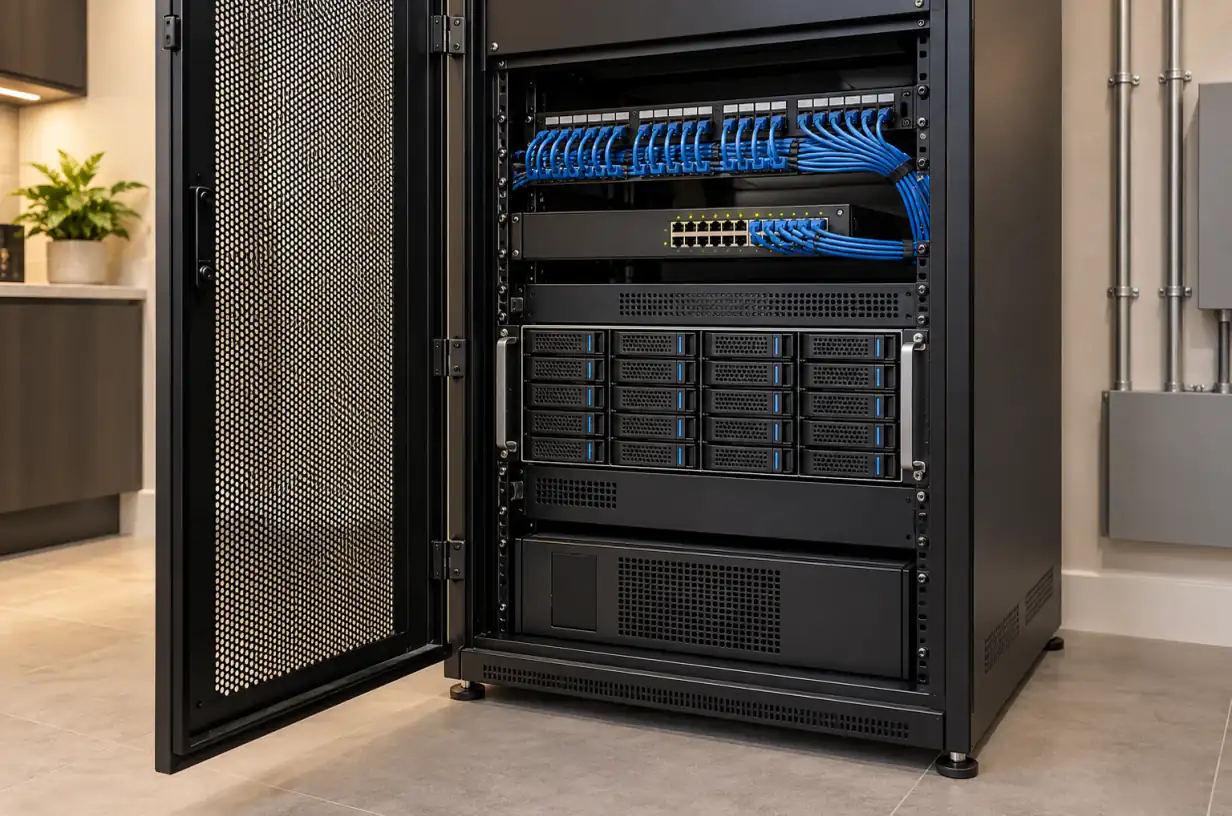
Rack-mounted NVR system for a Greenwich CT estate with multiple drive bays

Best NVR Systems for Greenwich Estates: Local Recording for Luxury Homes (2026)

Rolo Electronics Team12 min read

Last updated:

Quick Answer — Top NVRs for Greenwich in 2026

The five best NVR systems for Greenwich estates in 2026 are: Hikvision DS-7716NI-I4 (best for 16+ cameras), Dahua NVR5216-16P-I3 (best mid-range), Ubiquiti UNVR-PRO (best app), Synology DVA3221 (best AI analytics), and QNAP TVS-675 (best hybrid NAS). All support 4K recording, local storage without monthly fees, and integrate with hidden-cable professional installs.

For most Greenwich properties at 8–16 cameras, the Hikvision or Dahua route delivers the best price-to-reliability. For estates needing AI license plate recognition, Synology or Hikvision’s AcuSense line win. For homeowners who want a polished app without technical complexity, Ubiquiti’s UNVR is the clear pick.


Server room rack with multiple NVR units and network equipment

Why Greenwich Estates Choose Local NVR Over Cloud

Four reasons local recording dominates in Greenwich:

  • Privacy — footage stays on the property. No third party can subpoena your vendor or have a data breach expose your home’s footage. For high-profile Belle Haven and Back Country residents, this alone ends the conversation.
  • Bandwidth — 16 cameras streaming 4K to the cloud 24/7 uses 30–50 Mbps continuously. Even on a 1 Gbps fiber line, that’s meaningful upstream load. Local recording uses zero internet bandwidth until you remote-view.
  • Cost — a 16-camera cloud plan runs $250–$700/month. Over 5 years: $15,000–$42,000 just for storage. A $3,500 NVR with 8 TB of drives stores the same footage and pays for itself in year one.
  • Retention flexibility — cloud plans retain 14–60 days by default. A proper NVR on 16 TB keeps 60–120 days of 4K footage at your chosen framerate — critical for disputes that surface weeks after the fact.

Cloud still has a role for a single doorbell or a remote rental property. It’s the wrong tool for a full estate.

1. Hikvision DS-7716NI-I4 — Best for 16+ Cameras

The Hikvision DS-7716NI-I4 is the workhorse we install most often in Greenwich estate projects. It handles 16 channels natively, supports up to 32 through network routing, and ships with 4 hot-swappable drive bays.

  • 4K recording on all 16 channels simultaneously with H.265+ compression
  • AcuSense AI — built-in person/vehicle detection reduces false alerts by 90%
  • Up to 40TB total storage across 4 bays (10TB surveillance drives each)
  • POS integration for retail clients and commercial estates
  • Hikvision Hik-Connect and iVMS-4200 for remote viewing with 2FA and encryption
  • Dual Gigabit NIC for network redundancy

Retail: $1,100–$1,400 (NVR only). Installed in Greenwich: $1,600–$2,100 with 16 TB usable storage, proper VLAN configuration, and UPS backup.

Best for: Back Country estates, Conyers Farm, Belle Haven gated properties, and commercial installs on Greenwich Avenue. Requires Hikvision-compatible cameras (same brand or ONVIF-compatible third-party).

Professional NVR rack installation in a Greenwich CT estate utility room

2. Dahua NVR5216-16P-I3 — Best Mid-Range Estate NVR

Dahua’s NVR5216-16P-I3 is the direct competitor to Hikvision’s 7716 and, in our experience, roughly equal in reliability at a slightly lower price point. The built-in 16-port PoE switch is a meaningful install advantage — one less rack component, one less failure point.

  • 16 channels with built-in PoE+ (up to 30W per port for PTZ cameras)
  • 4K recording, H.265+ compression, 320 Mbps total input bandwidth
  • AI features — facial recognition, perimeter protection, smart motion detection
  • 2 drive bays (up to 20TB total) — less storage ceiling than Hikvision 7716 but enough for most 16-camera homes
  • DMSS mobile app with push notifications and event filtering

Retail: $700–$950. Installed in Greenwich: $1,100–$1,500 with 10–20 TB storage.

Best for: Old Greenwich single-family, mid-size Riverside homes, and commercial offices where the built-in PoE simplifies the rack layout. Compatible with Dahua and Lorex cameras (Lorex uses Dahua firmware).

3. Ubiquiti UNVR-PRO — Best App Experience

If your priority is a polished smartphone experience and you’re willing to pay a premium for it, Ubiquiti’s UNVR-PRO is the clear winner. The UniFi Protect mobile app is years ahead of Hikvision’s or Dahua’s interfaces.

  • Up to 32 4K cameras with proper network sizing
  • 7 drive bays — up to 140TB total
  • UniFi Protect app — iOS and Android, with timeline scrubbing, smart alerts, face and license plate recognition (on Protect 4.0+)
  • Full 4K 24/7 recording without compression compromises
  • Integration with UniFi network ecosystem — if you already use UniFi routers and switches, the UNVR is the natural completion

Retail: $699 (NVR only). Installed in Greenwich with cameras and storage: $3,500–$8,000 depending on camera count (Ubiquiti G5 cameras run $229–$799 each).

Best for: Homeowners who want iPhone-like polish on their security app, families with multiple users who need access, and properties already running UniFi network gear. Not the best choice if you’re mixing third-party cameras — the ecosystem works best end-to-end Ubiquiti.

4. Synology DVA3221 — Best for AI Analytics

Synology’s DVA3221 is a specialized surveillance appliance built on the NAS platform. What makes it unique is the built-in deep-learning AI engine — facial recognition, license plate recognition, intrusion detection, people counting, even unusual-behavior detection — all running on-device with zero cloud dependency.

  • 8 cameras free, expandable to 32 with license keys (~$60 per additional camera)
  • Deep-learning AI — on-device face and LPR without subscription fees
  • 4 drive bays (up to 72TB)
  • Surveillance Station — mature, Linux-based software with a responsive web UI
  • Works with 8,000+ camera models (ONVIF, Hikvision, Axis, Dahua, and most professional brands)

Retail: $1,550. Installed in Greenwich: $2,400–$3,200 with 16–24 TB storage.

Best for: Homeowners who want to search footage by face or license plate, estates with frequent contractor or service staff turnover, and properties where you need to confirm specific events without watching hours of footage. The LPR is genuinely class-leading for a residential-tier appliance.

5. QNAP TVS-675 + Surveillance Station — Best NAS-Hybrid

QNAP’s TVS-675 is a 6-bay NAS that doubles as a capable NVR through QVR Elite or QVR Pro software. The advantage: your storage device isn’t single-purpose — it also handles home media, Time Machine backups, and file sync alongside surveillance.

  • 8 channels free with QVR Elite, scalable to 40+ with licensing
  • 6 drive bays, up to 132TB — by far the largest storage capacity on this list
  • Docker/virtualization — can run Home Assistant, media server, and surveillance on the same unit
  • 10GbE expansion via PCIe — future-proof for 4K/8K cameras
  • QVR client apps for iOS, Android, Windows

Retail: $1,200 (NAS only, drives extra). Installed as surveillance + NAS in Greenwich: $2,800–$4,500.

Best for: Tech-forward homeowners who already run a NAS, want a single server for everything, or need very long retention (6+ months of 4K across 16 cameras is feasible here). Requires more technical familiarity than a dedicated NVR.

Storage Sizing for Estates

A common mistake is undersizing storage. A 4K camera at 30fps with H.265 compression eats roughly 10–15 GB per day. Multiply by camera count and retention:

Configuration30-Day Retention90-Day Retention
4 cameras @ 4K1.5 TB4.5 TB
8 cameras @ 4K3 TB9 TB
16 cameras @ 4K6 TB18 TB
24 cameras @ 4K9 TB27 TB

We typically specify RAID-5 arrays for estates — this survives a single drive failure without losing footage. Use surveillance-rated drives (Seagate SkyHawk, WD Purple) rather than standard desktop drives. They’re designed for 24/7 write cycles and typically last 2–3x longer in NVR applications.

UPS & Backup Power for NVR Systems

An NVR without UPS is a critical blind spot. Every power blip reboots the system and loses 30–120 seconds of footage — often the exact moment that matters. Budget for:

  • CyberPower or APC 1500VA UPS ($160–$260) — gives you 15–30 minutes of NVR runtime to ride out minor outages
  • Extended-runtime battery packs for estate applications ($400–$800) — 2+ hours of recording through a sustained outage
  • Whole-house generator integration — for properties with Generac, Kohler, or similar systems, the NVR should share the essential-circuits panel so it transfers automatically

For Belle Haven and Riverside waterfront homes that lose power during coastal storms, a proper UPS + generator combination is essential — that’s precisely when you need recording most.

Why Professional Install Matters for NVRs

NVRs are the component most often installed incorrectly by DIYers and inexperienced contractors. Common failures we’re called to fix:

  • No VLAN isolation — cameras on the same network as family devices, exposing every Wi-Fi gadget to the internet-facing cameras
  • Default passwords — still the #1 way NVRs get compromised. Every internet-facing NVR needs strong unique credentials and ideally VPN-only remote access.
  • Wrong drive type — shucked desktop drives that fail within 18 months under 24/7 write load
  • No remote access plan — relying on manufacturer cloud relay (P2P) which is slow and sometimes unreliable, vs. proper VPN/WireGuard setup
  • Unventilated install location — NVRs in sealed cabinets overheat and throttle; they need at least 6" clearance on all sides

A proper NVR install takes 3–5 hours beyond camera mounting. That’s labor that shows up in our quotes but is quietly skipped by cheaper bids.

Get a Custom NVR Proposal

The right NVR depends on camera count, existing network, retention goals, and how much app polish matters to you. We spec every Greenwich install individually after an on-site walk.

Book a free private site visit:

Also consider reading NVR vs cloud storage for deeper comparison and Greenwich installation cost guide for full pricing context.

Sources

Need expert advice? Get a free consultation.

Licensed installers in CT & NY — no obligation.

Related Articles

Back to all articles
Need help? Text us!